A privacy-first YouTube and YouTube Music client for Android. The recommendation engine
runs entirely on your phone, and your watch history never leaves it.
SponsorBlock · skips the sponsor readsDeArrow · ends clickbaitReturn YouTube DislikeBackground playPicture-in-PictureCasting to your TVDownloads · VP9 / AV1Synced lyrics11 themesTV interfaceSponsorBlock · skips the sponsor readsDeArrow · ends clickbaitReturn YouTube DislikeBackground playPicture-in-PictureCasting to your TVDownloads · VP9 / AV1Synced lyrics11 themesTV interface
01
Set up — no account required
NeuroTube works fully signed out, and nothing about your Google account is at risk unless you
choose to sign in. Instead of signing in, you export a copy of your own YouTube data and
import the file. It takes about two minutes.
0
logins, passwords or cookies required to use the app
2 min
to export your data and import it
100%
of the import happens on your device
1
Ask Google for your data
Open takeout.google.com in any
browser and sign in with the Google account whose YouTube data you want.
Click Deselect all — Takeout ticks every Google product by default.
Tick YouTube and YouTube Music — this carries your subscriptions, playlists and watch history.
Tick My Activity as well — this is where your liked videos and search history live. Skip it and likes will be missing.
Click Next step, leave the defaults (email link, .zip, 2 GB) and click Create export.
Google builds the archive in the background — minutes to a few hours depending on how
much history you have. You get an email titled
“Your Google data is ready to download” with a Download button, or you can
return to Takeout → Manage exports → Download.
A large export arrives as several ZIP parts. Download all of them.
Keep them together — NeuroTube reads every part of one export.
3
Import it into NeuroTube
Open NeuroTube → Settings → Backup & restore → Import.
Tap Import from Google Takeout.
Select every ZIP from your export and let it run. The progress line names each part as it lands: Subscriptions, Watch history, Likes and searches, Playlists, YouTube Music library.
When it finishes you get a summary of exactly what came in:
# example result
412 subscriptions · 8,930 history entries · 1,204 likes · 6 playlists
Your data
Where it lands in the app
Subscriptions
Subscriptions feed
Watch history
History
Liked videos
Favourites
Playlists
Library → Playlists
YouTube Music library
Music → Music Playlists
Searches
Search suggestions
Channel names and avatars
Channel pages
Your data never leaves your phone. The export is read on your device and written
straight into the app's private database. NeuroTube has no server, no analytics and no
upload of any kind.
Delete the ZIP afterwards. It holds your entire watch and search history — the most
personal file on your phone. Once the import is done, remove it. Re-importing later is safe
and never duplicates anything.
02
What you get
A full-featured client built with Kotlin, Jetpack Compose and Media3 — not a web wrapper.
On-device recommendations
Learns from what you watch, skip, like and search for — entirely offline. Inspect it, adjust it, or wipe it.
Weekday vs weekend, morning vs night patterns
Detects topic boredom and mixes in new content
Transparency dashboard — see why something was recommended
DeArrow — replaces clickbait thumbnails and titles
Return YouTube Dislike
Background play and Picture-in-Picture
Casting to smart TVs and streaming sticks
Gesture controls for brightness, volume and seeking
Downloads with VP9, AV1 and standard formats
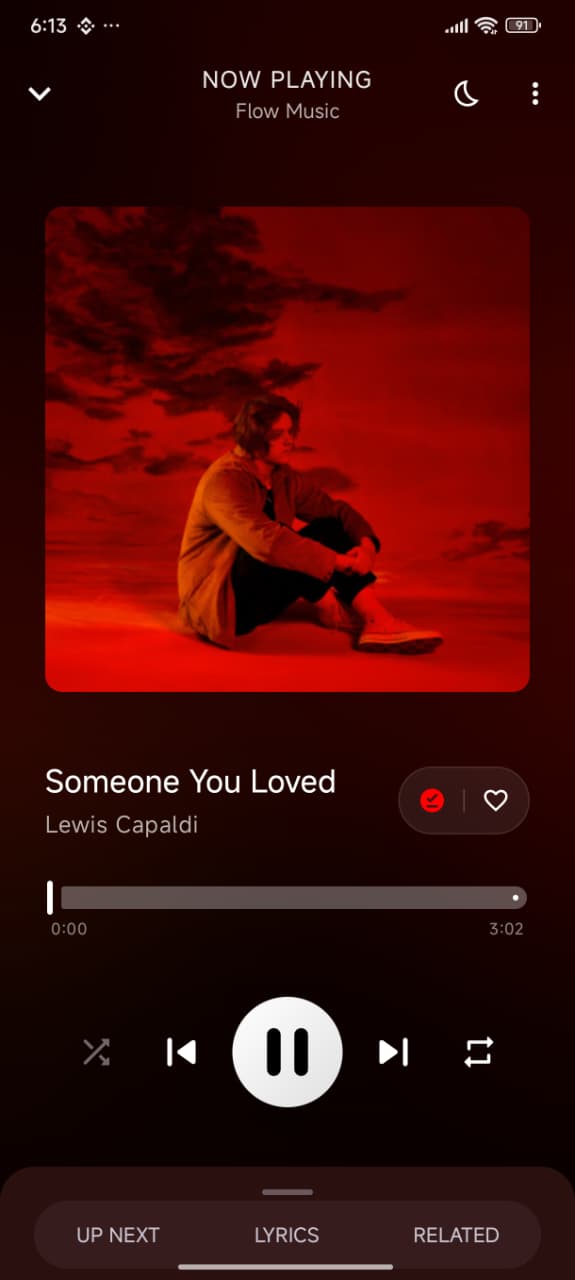
A real music player
Album art and audio visualisations
Queue management with add, remove, reorder
Shuffle and repeat
Synchronised lyrics
Persistent mini player across the app
Library that stays local
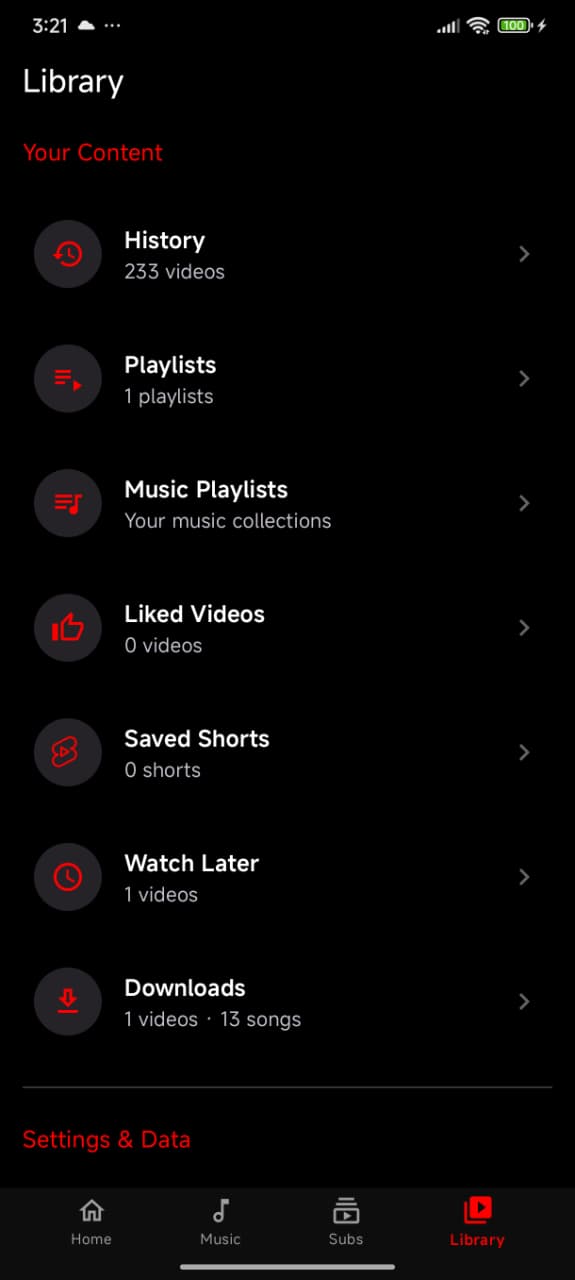
Watch history, favourites and custom playlists
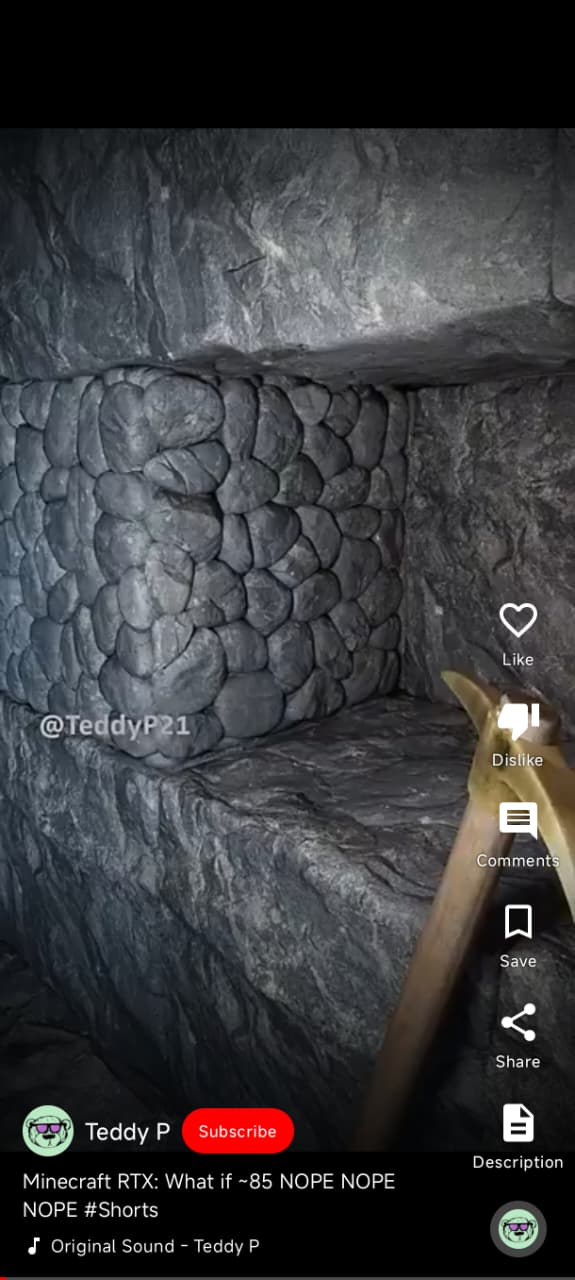
Shorts feed with bookmarking
Continue-watching shelf
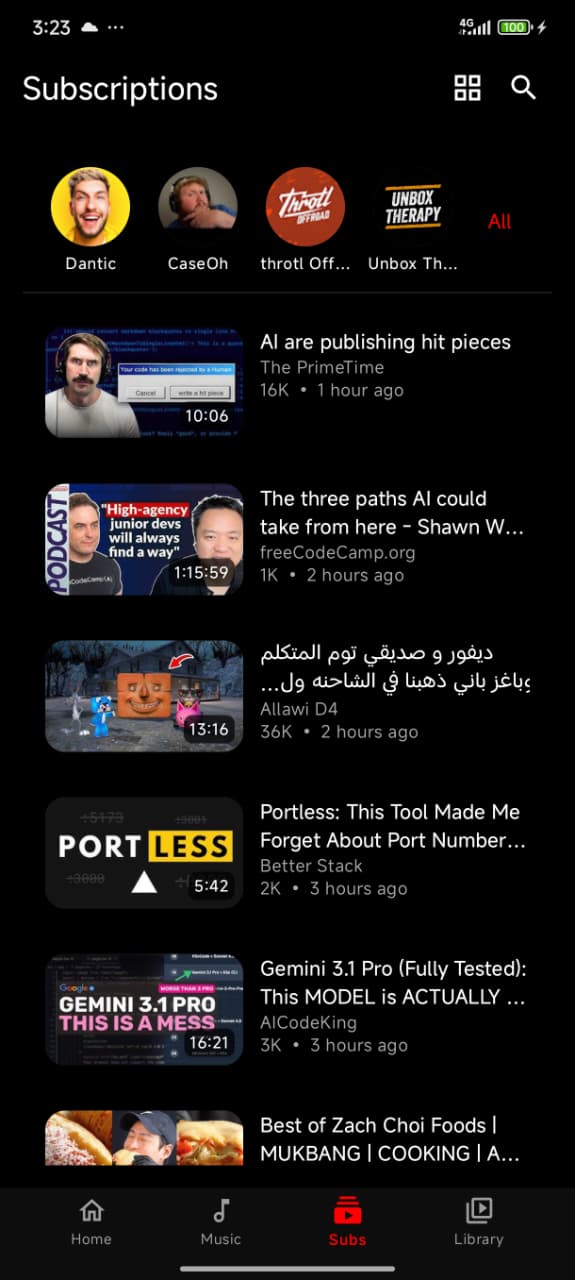
Subscription management with cached feeds
Private by default
No account required — works fully signed out
Optional YouTube sign-in, encrypted on the device
No ads, analytics or tracking SDKs
All data in app-private local storage
Bring your own data in from Google Takeout
Made to look good
11 themes, including OLED black
Material 3 throughout
Home-screen now-playing widget
Adaptive navigation rail and a TV interface
03
Screens
Built entirely in Jetpack Compose, in both video and music modes.
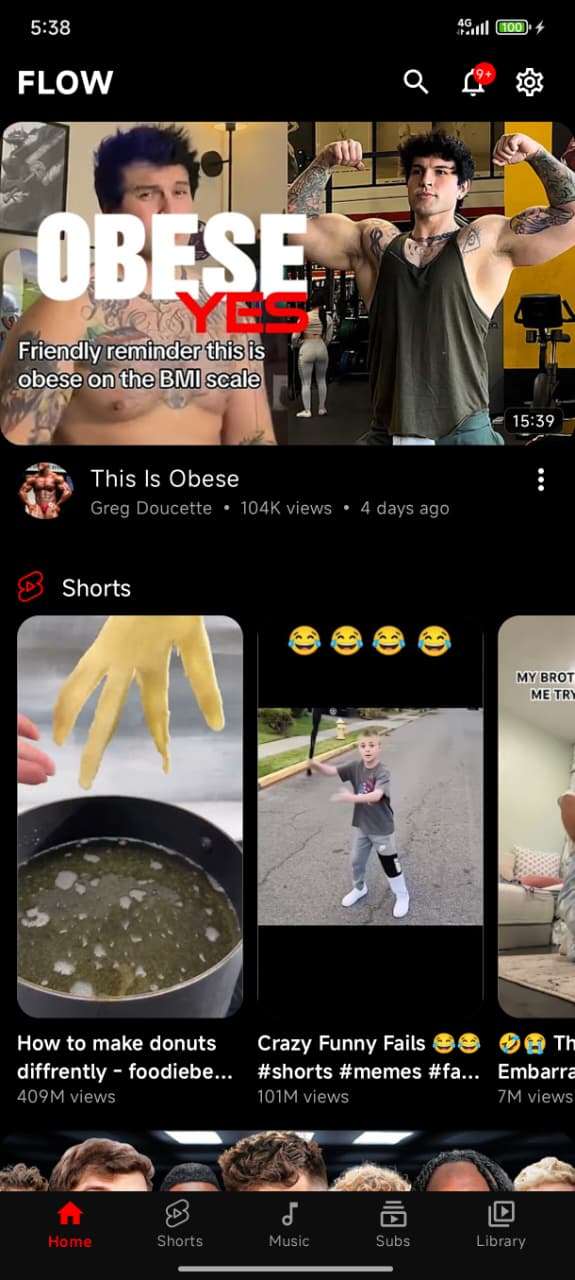
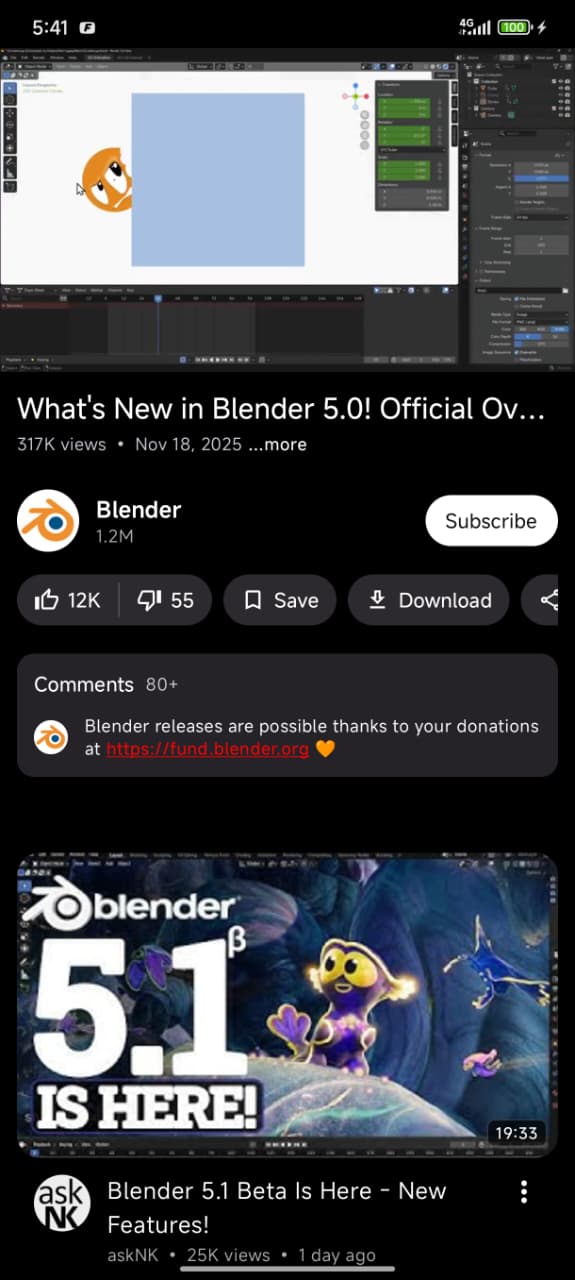
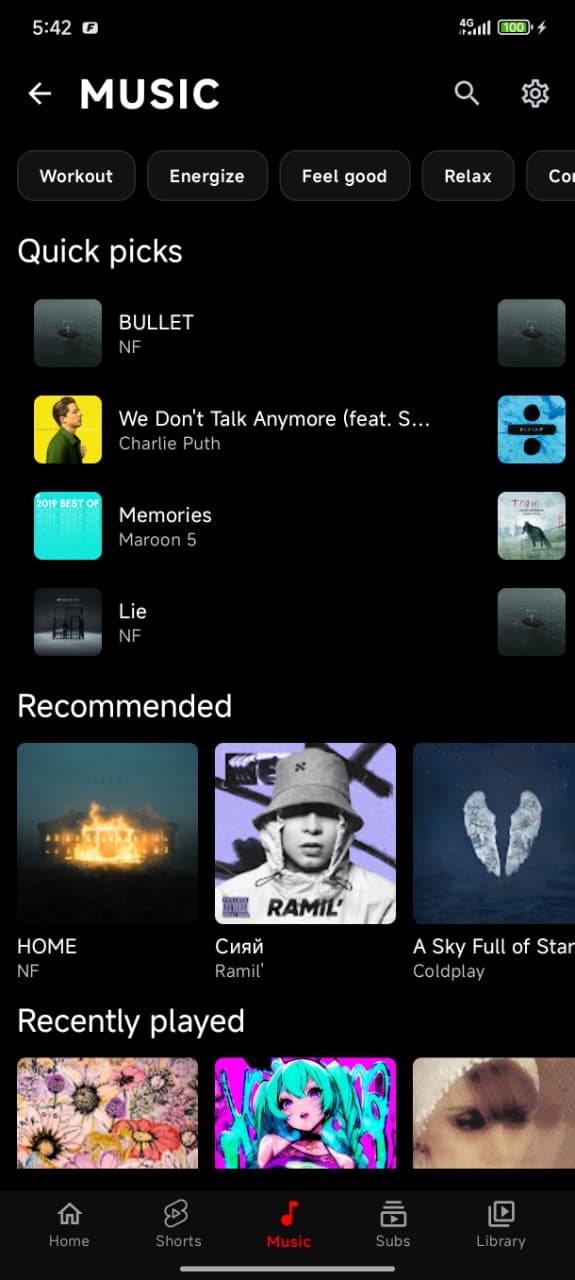
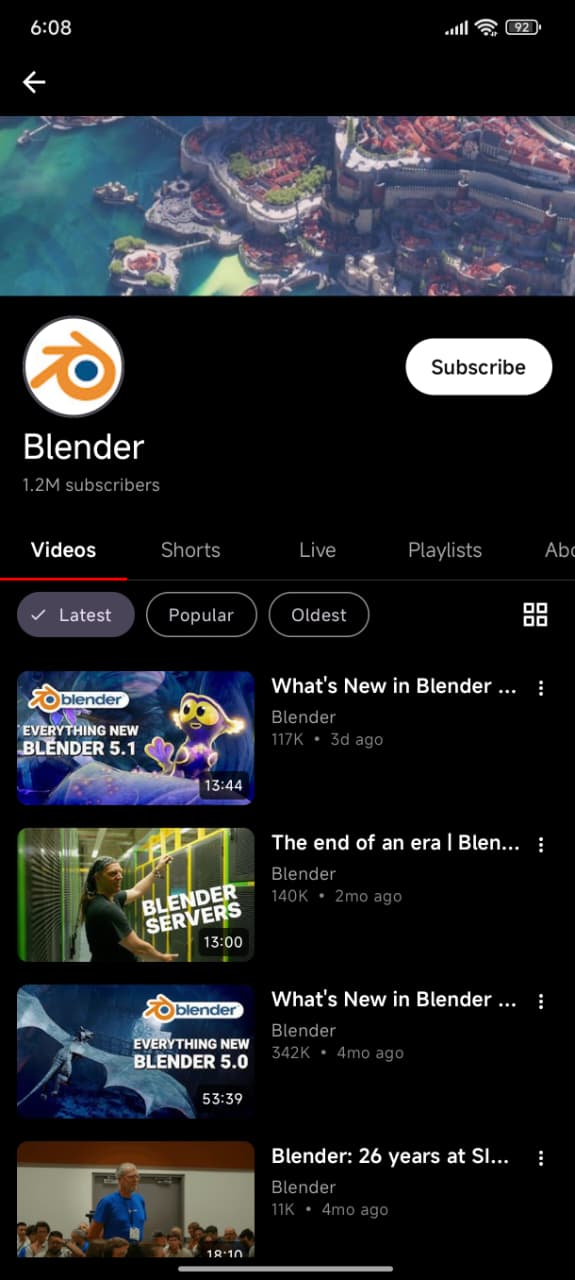
Home feedVideo playerMusic playerMusic hubYour libraryShortsSubscriptionsChannel
04
Download
Every release ships one universal APK with both 32-bit and 64-bit ARM code, so there is no
ABI to choose. The app also updates itself — it checks for a new release and installs it
after you confirm.
Get the latest build
Signed with the same key every time, so a new release installs straight over the old one
without losing your data.
SHA-256 of the signing certificate:
DF:F2:DC:23:A3:59:FA:73:2E:7C:38:C2:26:E4:C0:2F:7C:BE:21:9E:C6:C9:F7:FC:A7:E6:14:07:05:57:58:99
05
Build from source
You need JDK 21 and the Android SDK (platform android-37.0, build-tools
37.0.0). One product flavour exists: github — always use
flavour-prefixed tasks.
Compile it
git clone https://github.com/NETO-DEV66/NeuroTube.git
cd Flow-tub

# debug
./gradlew :app:assembleGithubDebug

# release — the universal APK
./gradlew :app:assembleGithubRelease
Output lands in app/build/outputs/apk/github/release/.
 NeuroTube