A real app, not a shortcut
It installs from an APK, appears in your launcher, and keeps its own window. No bookmark, no browser tab.
Android · sideload · MIT
OpenHands Agent Canvas, packaged as a native Android app. Sideload the APK once and drive real coding agents from your phone. No Play Store, no telemetry.

Get automatic update notifications, no Play Store needed.
tests/test_auth.py
pytest -k auth
src/auth/token.py
01 · Overview
OpenHands Agent Canvas is the web interface for OpenHands, an open-source AI software engineer. This project wraps that interface in a Capacitor shell so it installs and opens like any other Android app, and carries its own runtime so the agent answers on the device.
In short: this is the OpenHands Android app. It is a community-built mobile client for OpenHands — not an official release — and it lets you run OpenHands on your phone. It needs no account and no server: you pick a model, paste an API key from any LLM provider, and the agent answers on the device. If you were looking for an OpenHands APK to sideload, this is it.
It installs from an APK, appears in your launcher, and keeps its own window. No bookmark, no browser tab.
One APK for every ABI, so it installs on any phone you have. Nothing to pick at download time.
INTERNET is the only one it asks for. No storage, no camera, no contacts, no location. Telemetry is compiled out, so the app only talks to the LLM provider you configure.
The build runs in CI from the tagged source. You can rebuild it and compare the hash yourself.
Targets Android 6.0 and up. A cheap handset from a few years back is enough to use it.
The runtime is real but small: one agent turn at a time, on the phone, against the model you configure. There is no cloud sandbox behind it.
02 · Capabilities
The app is the same interface you already use on a desktop, laid out for a small screen and a thumb.
Chat with the agent, watch it plan, and steer it while a task is still running.
See every edit as it lands, file by file, with the added and removed lines marked.
Read command output and test results as they stream in, without leaving the app.
Reopen an earlier conversation and pick it up where you stopped.
Point it at any LLM provider. The API key stays on your device.
The shell opens without a network connection. The agent itself still needs a reachable LLM provider.
03 · Screens
These are actual captures of the app, not mockups. First launch walks you through picking an agent and a model, then hands you a working conversation. The first frame is the one step the standalone build skips.
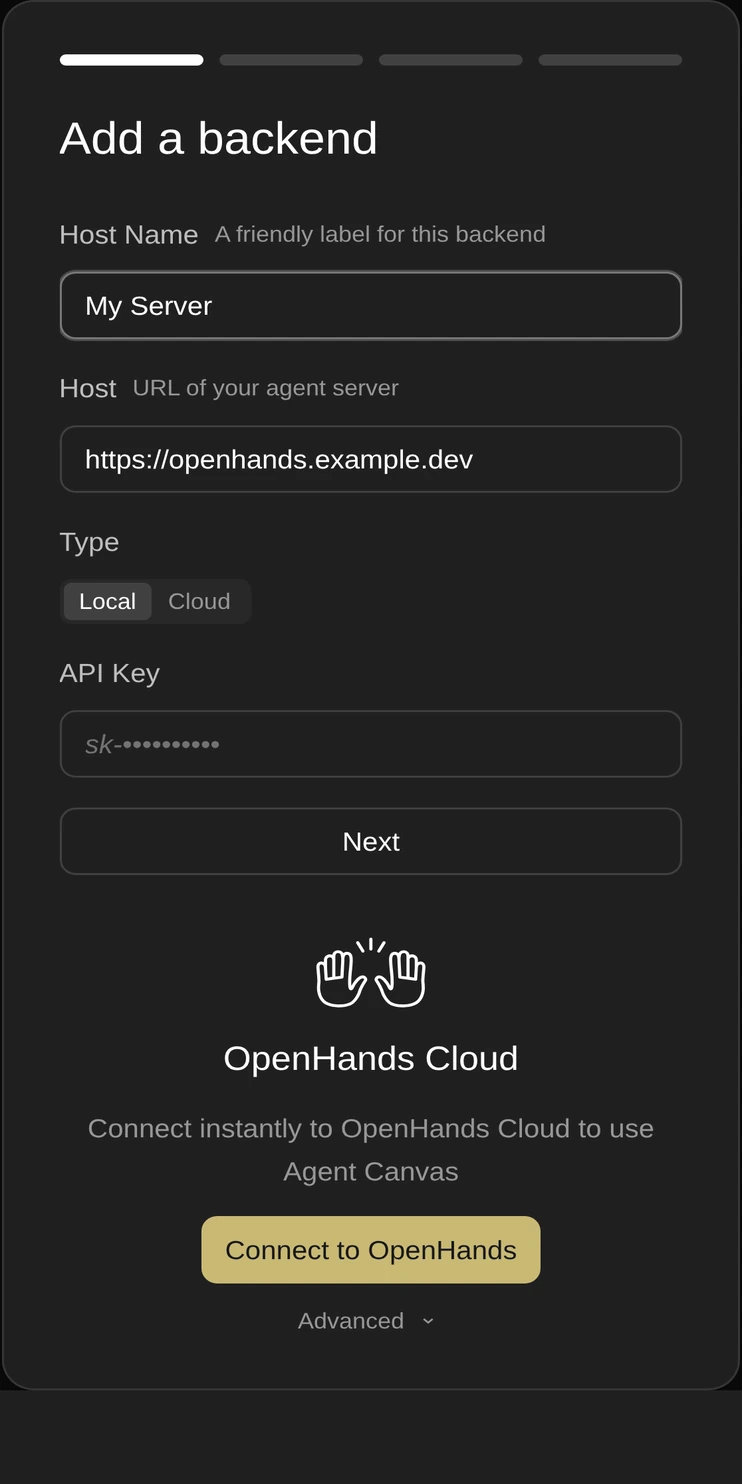
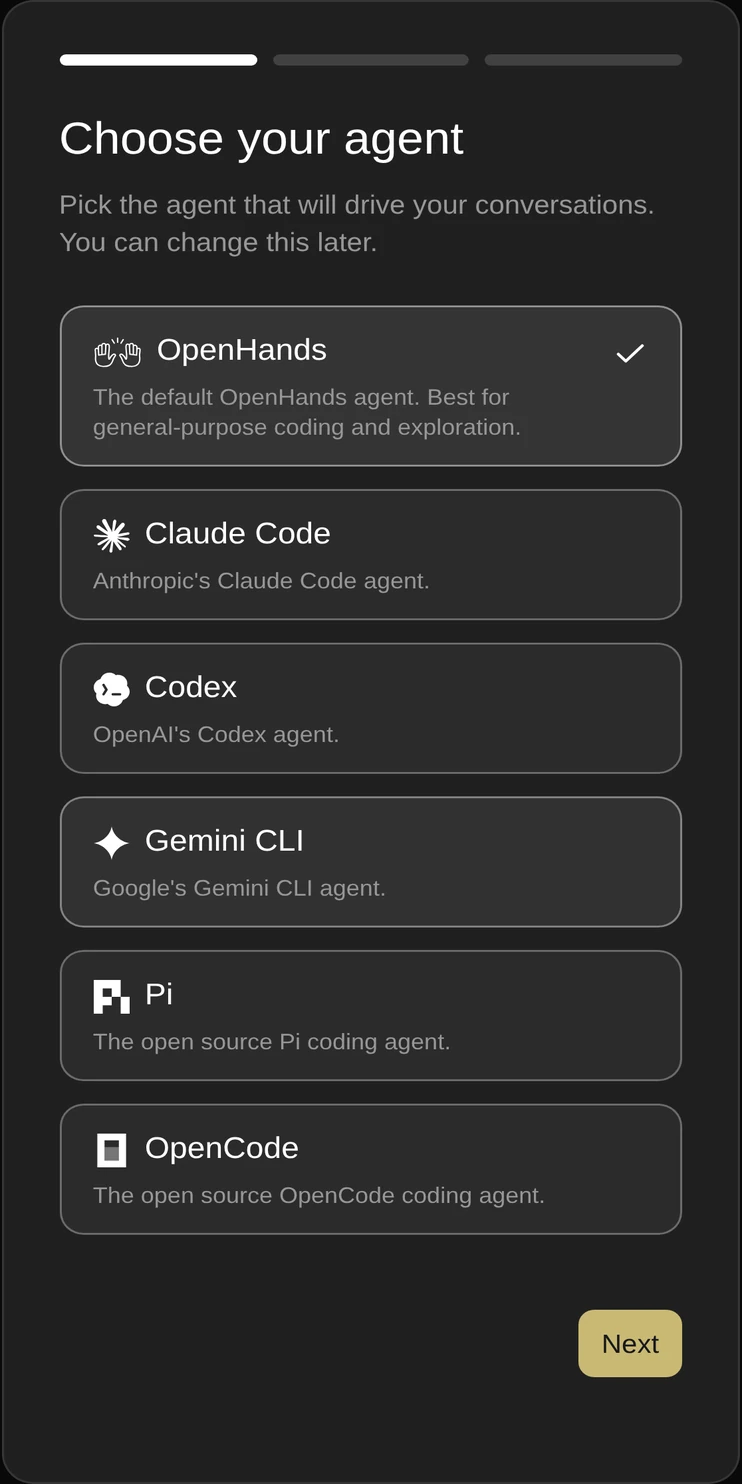
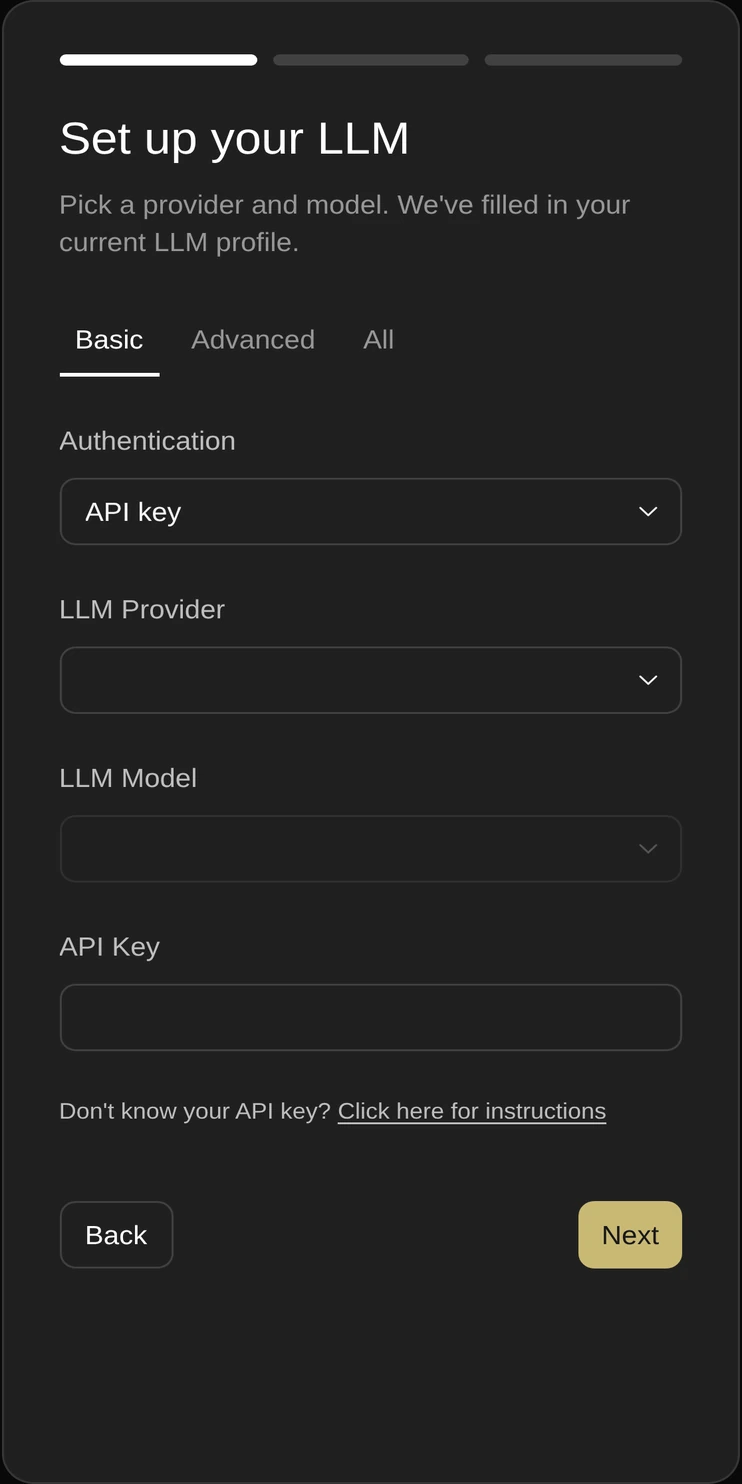
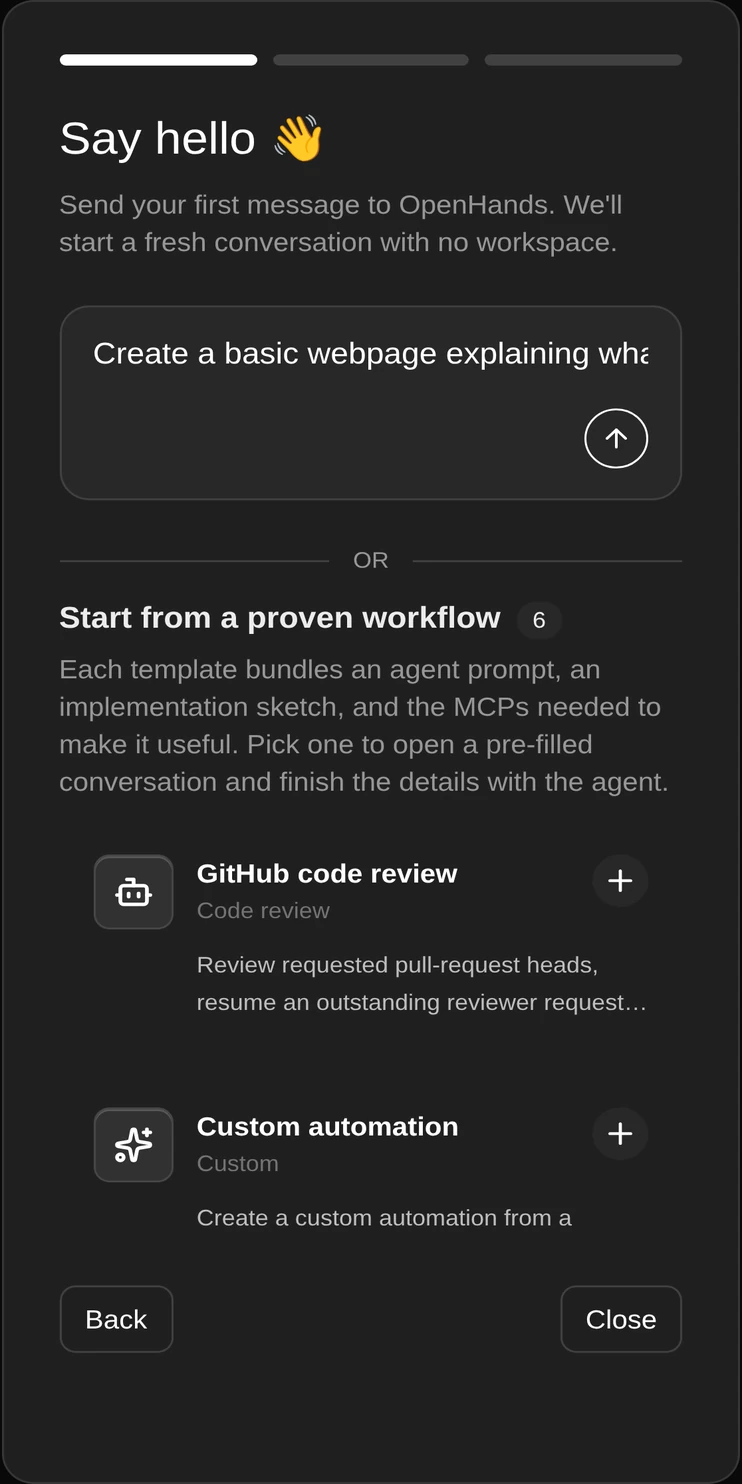
A note on these images. They are real screen captures of the app's first-run wizard, taken frame by frame as each step loads. The captures come from the server-backed build, so the first frame shows the backend step; the standalone build skips it and opens on the agent picker. Any details shown are placeholders, not live.
04 · Install
Grab app-release.apk from the latest release. It is about 6.0 MB.
Android asks once. Enable it for whichever app is doing the install, usually your browser or file manager.
Play Protect may show a prompt for a sideloaded app. If you have checked the hash, choose to install anyway.
Open the app, pick a model, paste your LLM provider API key, and start a conversation.
Every build is signed with the same key, and the release is checked against it before publishing. Download a newer version and install it straight over the old one - no uninstall, no lost settings.
05 · Verify
Compare the hash of the APK you downloaded with the value below. If they match, the file is byte for byte the one that was built and signed.
APK SHA-256
github.com/NETO-DEV66/Opanhand-mobile-/releases
Signer cert SHA-256
0B:05:77:B8:11:BD:3D:0E:6D:6E:F5:DA:39:07:D9:4B:91:C0:50:E6:DF:F9:7C:E1:36:0F:F5:31:40:A3:FF:47
sha256sum app-release.apkOn macOS the same command is available as shasum -a 256 app-release.apk.
Get-FileHash .\app-release.apk -Algorithm SHA256Compare the Hash field with the APK SHA-256 above. Case does not matter.
aapt dump badging app-release.apkExpect package: name='dev.openhandsmobile.com' and versionName='1.32.5'.
06 · Requirements
dev.openhandsmobile.com07 · FAQ
08 · Support
There is no paid tier and nothing is locked. If this saved you some time and you feel like it, you can send a tip. There is no suggested amount.
UPI
mrsameer1906@okhdfcbank
Paste this into any UPI app. Tips are never expected, and the app stays free either way.